Translations in the pull request
Localhero.ai commits translations to the pull request that added the strings. The feature and its translations merge together: your default branch never contains a half-translated feature. Reviewers check the wording in the Localhero.ai dashboard. Their edits come back as a commit on the same branch.
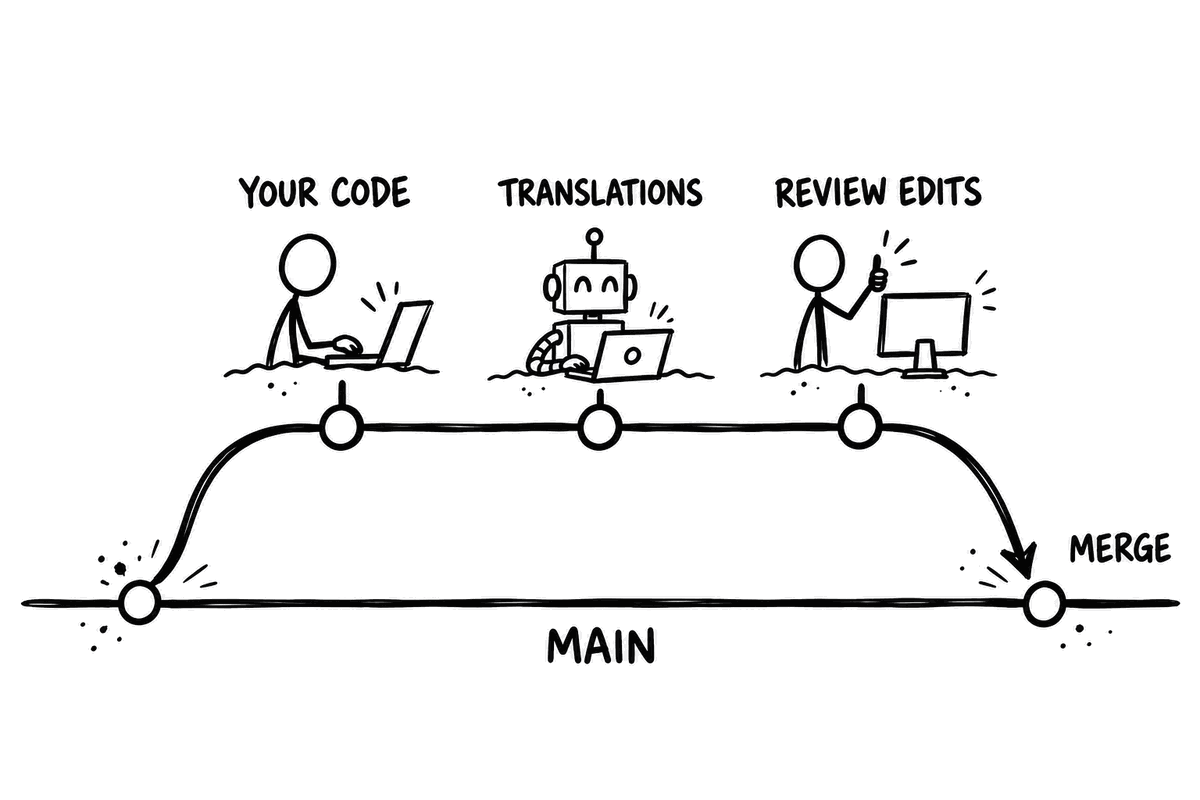
Why the same pull request
- One unit of work. Code, source strings and translations are reviewed and merged as one change.
- The default branch is always complete. Nothing ships in English to your Japanese users while a translation pull request waits.
- The context is still there. Whoever wrote the string sees the German before the merge, when fixing a wrong term takes one edit.
- No translation backlog. No stale
chore: translationspull requests to rebase, merge in order or untangle.
Translations are quick and automatic, review happens in the dashboard instead of the code diff.
Read more in Should translations go in the same PR or a separate one?
What happens on a pull request
- You push a branch that changes source strings. The GitHub Action runs on pull requests that touch your locale files. It skips draft pull requests, pull requests labelled
skip-translation(change the label with theskip-labelsinput) and its own commits. - It picks the keys to translate. The Action diffs your branch against the base branch and sends the keys the branch added or changed that have no translation yet. Everything else is left alone and costs no credits.
- It translates with your project's context: glossary terms, style guide and tone settings, and translation memory from earlier translations in the project.
- It validates the output. Interpolation variables such as
%{count}or{{name}}must match the source. HTML and JSON structure must survive. A translation that fails is retranslated once. If it still fails, it never reaches your files. - It commits to your branch. One commit titled
Update translations, listing the number of keys, the languages and a link to the results on Localhero.ai. The person who pushed is added as co-author. - It comments on the pull request with a link to review the translations.
Reviewing and syncing edits back
Reviewers edit and approve translations on Localhero.ai, no GitHub account needed. Sync to GitHub sends their edits back as a Sync translations commit on the same branch. Make the localhero/translations status check required to block the merge until translations are approved.
Both need the GitHub App. See review workflow for details.
What it means for your repository
CI runs on the translation commit. With the GitHub App installed, the Action pushes as localhero-ai[bot] with an App token. Your workflows and required checks run on that commit like on any other. Without the App it falls back to GITHUB_TOKEN. GitHub does not start workflows automatically for those pushes: on a pull request the runs wait for a maintainer to approve them. The Action logs a warning when it falls back.
Pull before your next push. The translation commit lands on the remote branch. Your next push is rejected until you pull. git pull --rebase puts your new commits on top.
Rebasing and force-pushing. The translation commit is an ordinary commit and survives a rebase. If a force-push drops it, the next run finds those keys untranslated and translates them again.
Signed commits. If your branch rules require signed commits, set "github": { "signedCommits": true } in localhero.json. The CLI then commits through the GitHub API as the App. GitHub signs the commit. This needs the GitHub App.
Diff size. Each target language adds a changed file to the pull request. To collapse them by default on GitHub, mark your target locale files as generated in .gitattributes:
config/locales/de.yml linguist-generated
config/locales/sv.yml linguist-generated
List target files only. Your source file should stay visible in the diff.
Conflicts between pull requests. Two open pull requests that add keys at the same place in a locale file can conflict, like any file two branches edit. Resolve the source file, then keep both sides in each target file.
Monorepos
A project maps to a set of locale file paths, not to a repository. One project can cover both the front-end and back-end catalogs in a monorepo, with one glossary and one translation memory across the product. Use separate projects when the products need different terminology or different reviewers.
Translating in a separate pull request
The Action always commits to the pull request branch. It doesn't open a pull request of its own.
If your team needs translations in their own pull request, for example because a legal sign-off has to be separate from code review, run the CLI from your own pipeline on pushes to your default branch. npx @localheroai/cli translate --skip-commit translates every missing key and writes the files without committing. Your pipeline then commits them to a new branch and opens the pull request. See running the CLI in CI/CD.
Last updated
Redo att testa?
Kom igång på några minuter. Inget kreditkort behövs.