Dokumentasjonsmeny
Make your Lovable app multilingual
Lovable apps usually start out in one language, with the text written straight into the components. Adding a second language means moving all of that text into translation files and keeping every language up to date as the app grows. Doing it by hand in the chat takes a lot of prompts and a lot of credits.
With Localhero.ai connected you ask Lovable once. It sets up the language files and a language switcher and leaves the translating to Localhero.ai. After that, text you add while building is translated into your other languages in the same change. The translations follow your glossary and tone of voice.
What you need
- A Localhero.ai account. Sign up first; the connector signs in with it.
- A Lovable project.
1. Connect Localhero.ai in Lovable
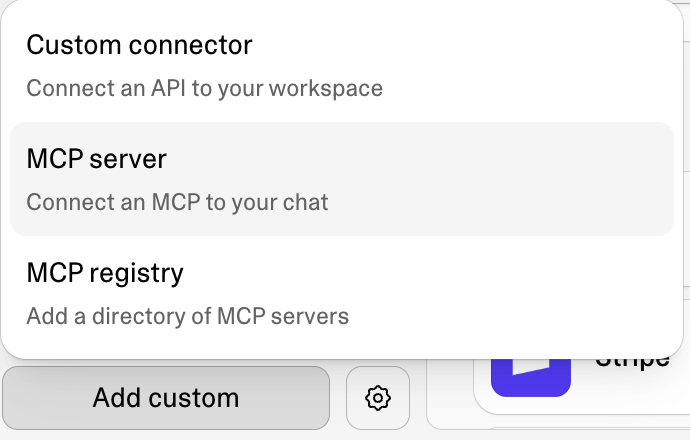
- In Lovable, open Connectors and click Add custom at the bottom left.
- Pick MCP server.
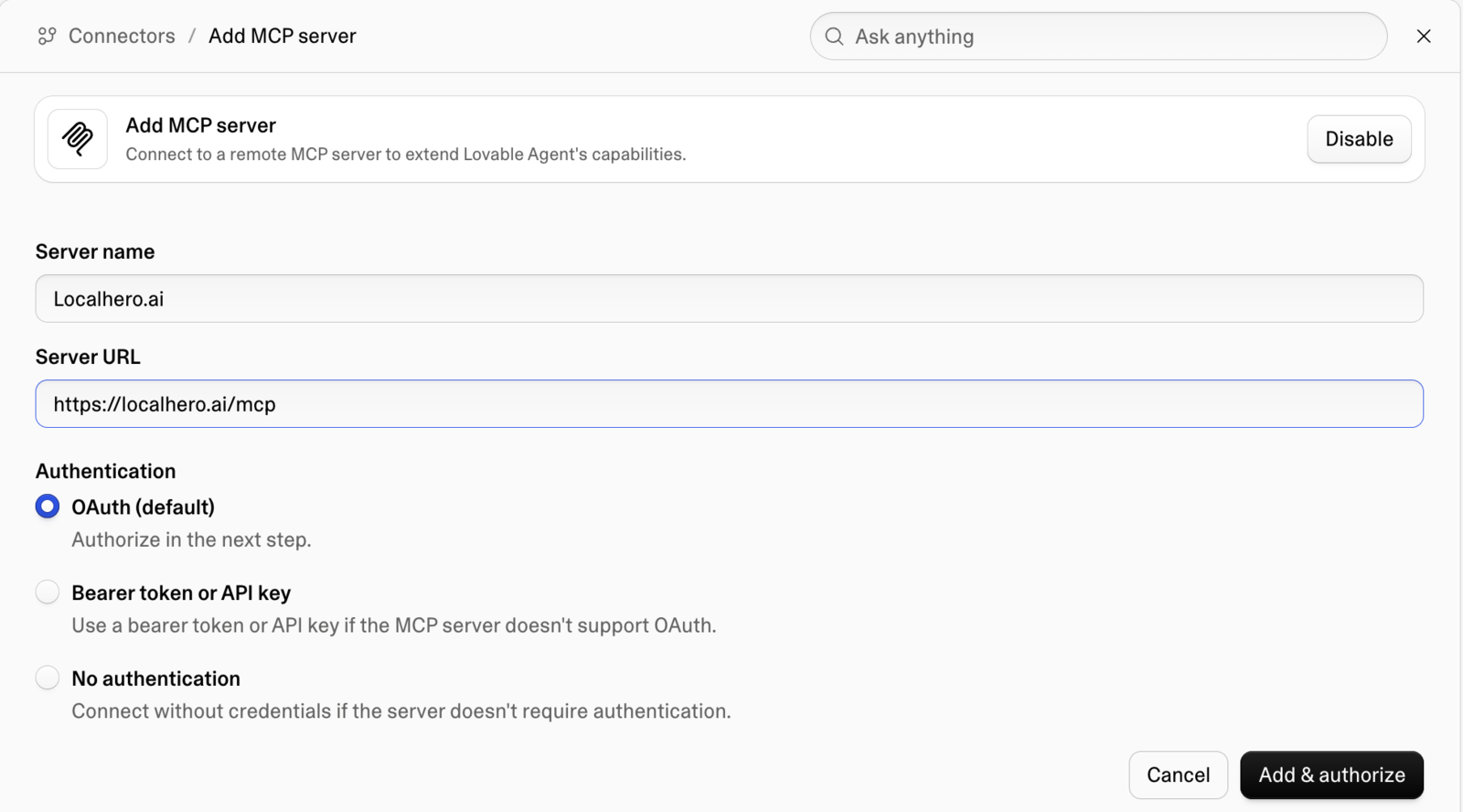
Fill in the form and click Add & authorize:
- Server name:
Localhero.ai - Server URL:
https://localhero.ai/mcp - Authentication: OAuth (default)
A Localhero.ai window opens. Approve access there.
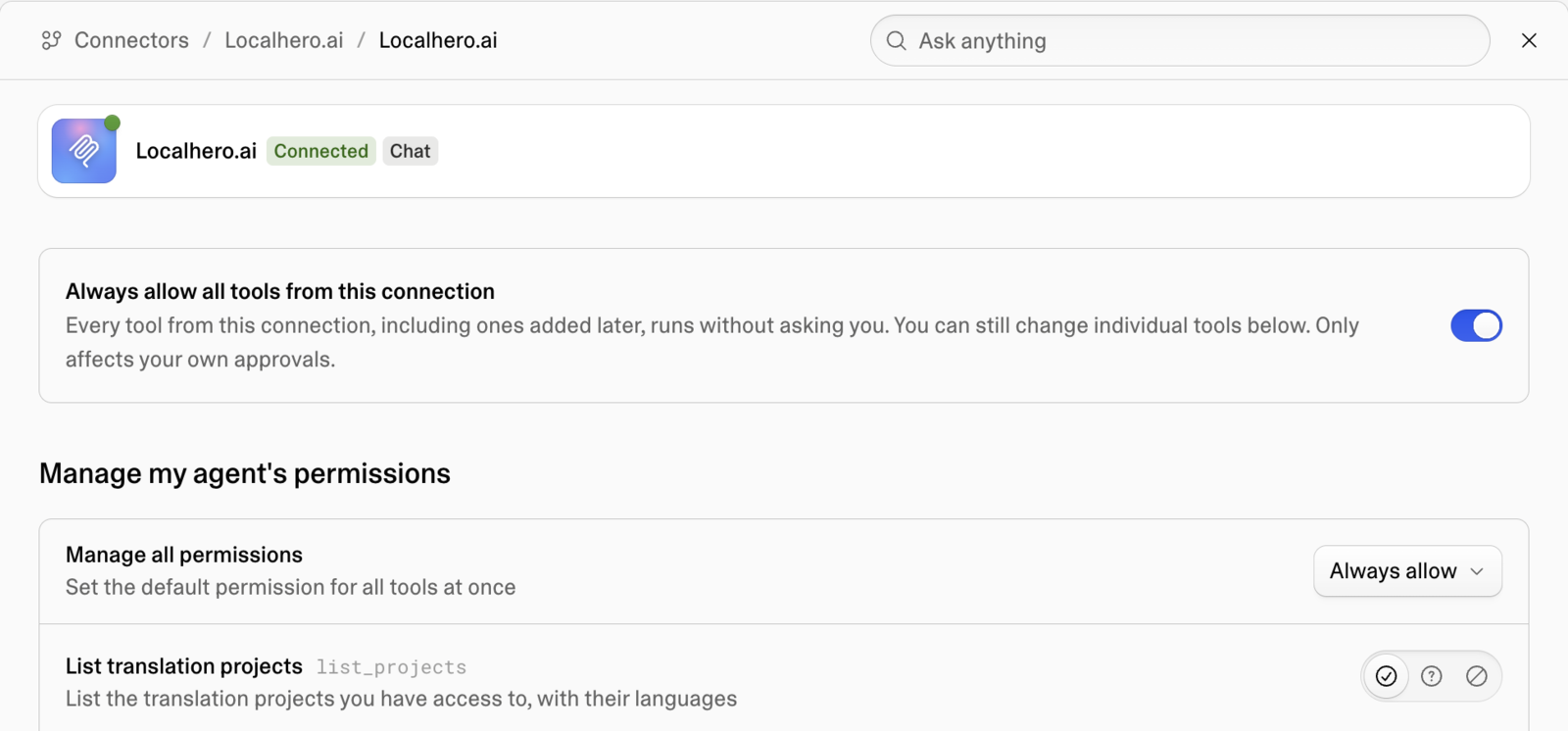
Once it says Connected, we recommend turning on Always allow all tools from this connection. Otherwise Lovable asks you before every call to Localhero.ai, which gets old fast during setup.
2. Ask Lovable to set it up
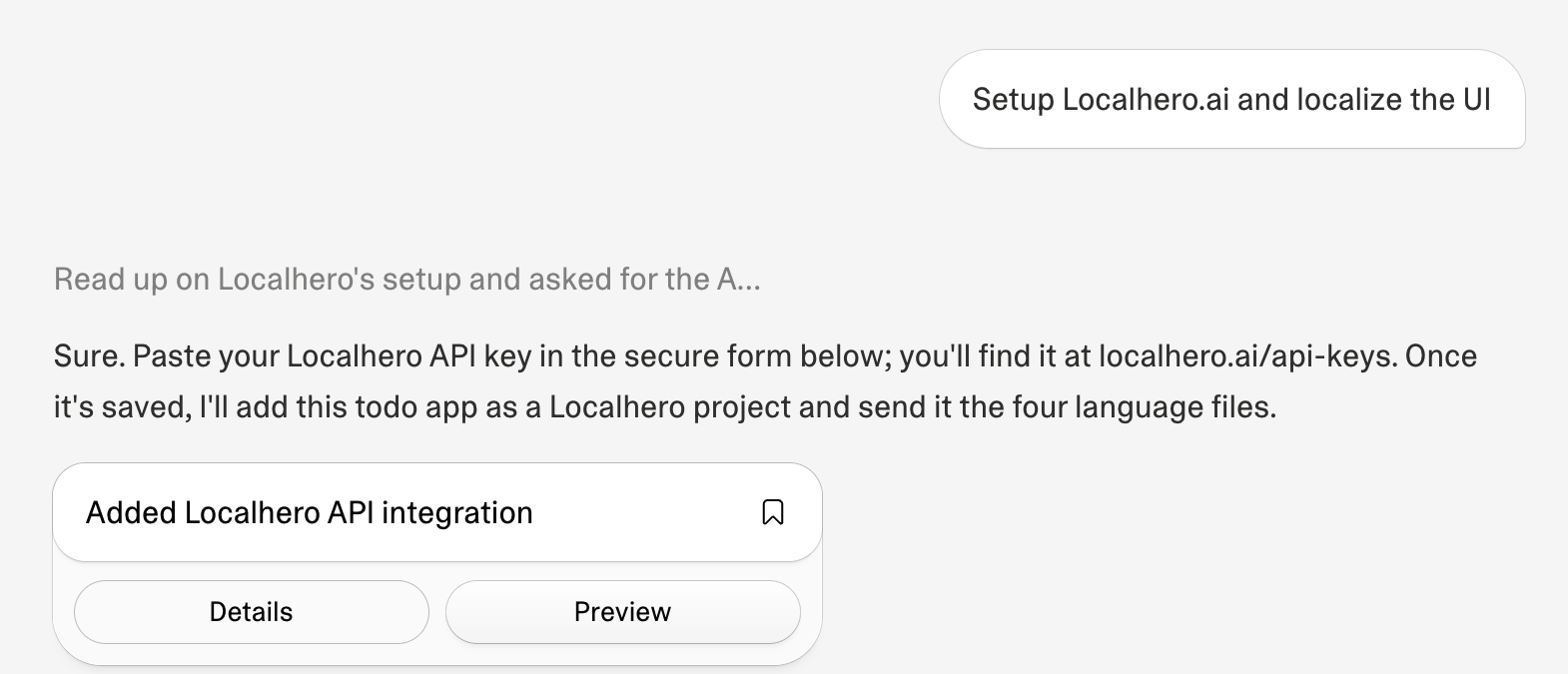
In your project's chat, write something like:
Setup Localhero.ai and localize the UI
Add which languages you want if the app doesn't have them yet.
Lovable reads up on how Localhero.ai works and asks for an API key in its secure secrets form. Create one at localhero.ai/api-keys and paste it there. The connector lets Lovable look things up in Localhero.ai; the API key is what lets it create your project and send text for translation.
Lovable should then:
- Set up react-i18next with one JSON file per language, plural forms like
_oneand_otherand a language switcher. - Create the Localhero.ai project and upload the files with the Localhero.ai CLI.
- Write rules into the project's
AGENTS.md: UI text lives in the locale files and new English text is followed bynpm run i18n:translate.
3. Keep building
From here you ask Lovable for features as usual. When a change adds text, Lovable writes it in English and runs the translate step. Localhero.ai translates the new strings into your other languages using your glossary and style settings. Lovable then commits the code and the translations to main together.
In our test we asked for a "Clear all tasks" button with a confirmation dialog. Lovable added six English strings and Localhero.ai translated them into Swedish, German and Spanish. Each translation shows up in Localhero.ai with a short note on why it was worded that way.
Review and edit translations
The translations show up on your project's translations page in Localhero.ai. You can read them language by language, edit a string, or click Suggest new to get a fresh translation of it. Edits are saved in Localhero.ai with version history.
Edits reach your app's files when the translations are pulled down with the CLI's pull command. In our test, Lovable added that to the project as npm run i18n:pull.
Prefer pull requests?
Lovable pushes to main by default, which is what we tested. Lovable told us it can also work through pull requests. In that setup our GitHub Action translates each pull request instead. It needs the Action in the repository and a LOCALHERO_API_KEY repository secret on GitHub.
Good to know
- The first run uploads what Lovable wrote. If Lovable translated the app while setting it up, those translations go into Localhero.ai as they are. Localhero.ai translates new and changed text from then on. To redo an existing string, open it on the translations page and click Suggest new.
- Lovable uses its own credits for the setup and for each change. We tested on a new app. Moving an existing app with a lot of hard-coded text into locale files is a bigger job and uses more of them.
- Translations by Localhero.ai use credits from your Localhero.ai plan. See pricing.
Further reading
- MCP server, the tools the connector gives Lovable, Claude and ChatGPT.
- React, more on the JSON files react-i18next reads.
- AI coding agent skill, the same idea for Claude Code and Cursor.
Last updated
Klar til å prøve?
Kom i gang på noen minutter. Du trenger ikke kredittkort.