Your AI coding agent writes components, routes, and tests. But when it hits translation strings, the workflow breaks. The agent doesn't know your glossary, your naming conventions, or which terms you've decided to keep untranslated. Here's what I've found works: give your agent translation context via a skill, and automate translations in CI so features ship translated from day one.
When you are building features with Claude Code or Cursor, you quickly get into a flow. The agent is writing components, wiring up routes, adding tests. Then you hit the translation strings. Suddenly you're context-switching: what did we name similar keys? What's the German word for workspace
again? Is it Arbeitsbereich
or did we decide to keep it as Workspace
?
Even if you get the source strings right, the translations themselves are a separate step for many teams. Someone has to coordinate them, maybe review, do some updates, things easily take some time. The feature sits in a PR, ready to merge, but half the languages are missing. And you get started with another task.
I've been working in localized codebases for a while, and with AI coding agents things change a lot. The shift that made it work great for me was simple: give your coding agent the same context about translations that you have in your head. Your glossary, your tone preferences, your naming conventions. When the agent knows these things, it writes i18n strings correctly from the start. Then a translation service handles the actual translations into your target languages, and your product team can easily review and tweak the copy before it ships.
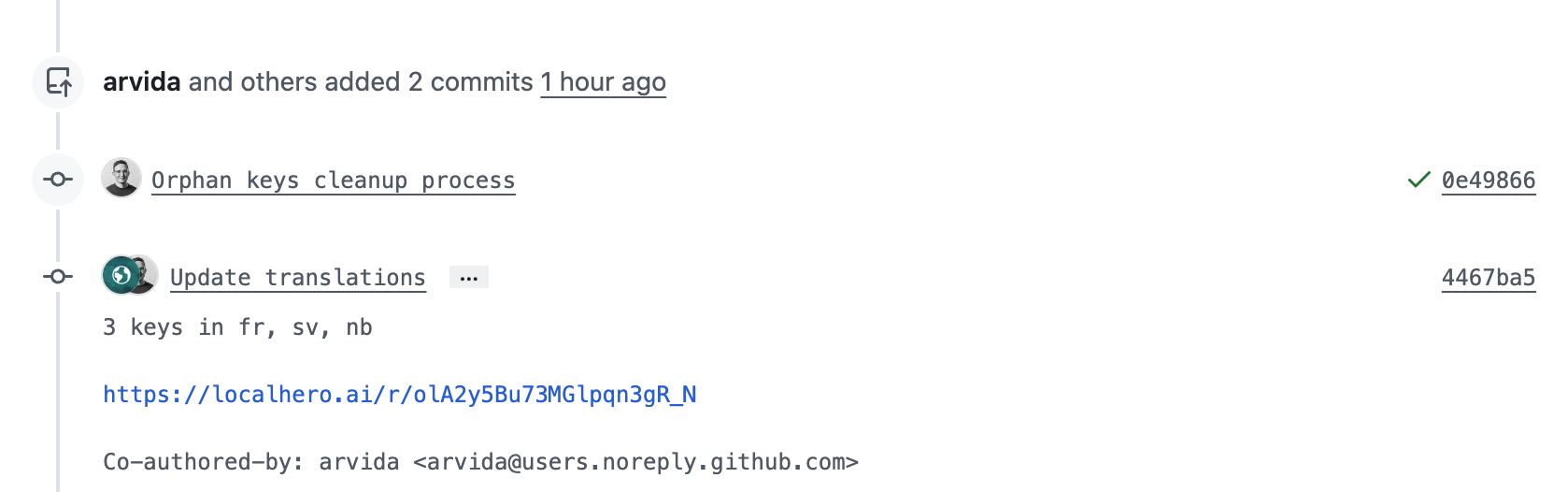
Translations are handled automatically on every PR, regardless of who or what wrote the code.
The problem: translations live outside your dev workflow
Even with AI agents speeding up development, most teams I've talked to still have translations stuck in a manual loop:
- Developer builds a feature from designs, adds source language strings
- Someone remembers localization or notices translations are missing (or doesn't)
- A request goes out, via Slack, a ticket, a spreadsheet
- Translations come back days later, some done by native speakers, some maybe done by ChatGPT
- Developer slots them into the right files
- Maybe a review happens, maybe not
You're shipping features faster than ever, but translations are still on a different timeline. Every handoff is a place where things stall, get lost, or end up inconsistent. It's easy to end up with inconsistency and drift in what terms are used, or just translations missing.
What changes when your agent is translation-aware
AI coding agents are good at following conventions when you give them the right context. The same way you'd tell an agent about your project's code style or API patterns, you can give it context about your translations:
- Glossary terms:
Workspace
stays asWorkspace
in German,Dashboard
becomesÜbersicht
- Tone and style: Professional but approachable, use informal address (
du
notSie
in German) - Key naming patterns: Nested by feature,
snake_case, verbs for actions (users.profile.save_changes) - File structure: Where locale files live, what format they use
With this context, when you ask the agent to add a settings page with notification preferences
, it doesn't just write the React components. It creates properly named i18n keys, uses your glossary terms correctly, and follows the same patterns as the rest of your codebase.
That handles the source language. For the translations themselves, you can ask your agent to just write them, and for a few strings that works fine. But if you're in a product team shipping across multiple languages, you want consistency, glossary enforcement, and a way for your team to review. That's where a translation service comes in: your translations sync to a system that learns from your existing translations, enforces your glossary, and gives your team a place to review and tweak copy. And it gets better over time, every translation you ship makes the next one more consistent. A GitHub Action ties it together, automatically translating new strings on every PR. Think of it like linting or automated tests, but for translations.
Here's what that looks like in practice, Claude Code adding i18n keys to an existing Rails app using the Localhero skill:
Setting it up: what you need
There are three pieces to making a translation workflow work well.
1. A translation service connected to your repo
You need something that can take your source strings and produce translations in your target languages, with awareness of your glossary and brand voice. This isn't the same as calling the OpenAI API with translate this to German
, that works for simple text but falls apart when you need consistency across hundreds of keys and multiple languages, and need to maintain it over time.
At Localhero.ai, you connect your GitHub repo, set up your languages, and configure a glossary and style guide. The service maintains a translation memory that grows over time, so translations get more consistent as your project evolves. It basically learns your voice and ensures it's part of all new translations.
It works with JSON (React, Next.js, Vue), YAML (Rails), and PO files (Django, Python), so it fits most web stacks. The key is that it plugs into your CI and your agent's workflow, not just a web dashboard you visit separately.
2. An agent skill for context
This is the part that makes the agent translation-aware. An agent skill is a file that gives your coding agent instructions and tools for a specific domain. When the agent encounters translation-related work, the skill activates and provides:
- Your project's glossary terms
- Style and tone settings
- Key naming conventions from your existing files
- What CLI commands to use and if translations happen on CI or not
Install it with one command:
npx skills add localheroai/agent-skill
This adds a SKILL.md file to your project that your agent (Claude Code, Cursor, or similar) reads when working with translation files. The skill uses the skills.sh open registry, so it works across different AI coding assistants.
The glossary and settings are loaded dynamically each time the skill activates, so the agent always works with your current terminology, even if you updated your glossary five minutes ago.
3. CI integration so translations are never missed
Even without the agent skill, the CI integration handles translations on its own. Every PR that touches locale files gets translated automatically. The agent skill makes the developer experience better by giving the agent context about your conventions, but the GitHub Action is what ensures translations never fall behind.
If you're using GitHub Actions, the setup is minimal:
# .github/workflows/translate.yml
name: Translate

on:
  pull_request:
    paths:
      - 'src/locales/**'
      - 'localhero.json'

jobs:
  translate:
    runs-on: ubuntu-latest
    steps:
      - uses: actions/checkout@v4

      - uses: localheroai/localhero-action@v1
        with:
          api-key: ${{ secrets.LOCALHERO_API_KEY }}
When a PR touches translation files, the action detects new or changed keys, translates them into all target languages, and commits the translations back to the PR. The reviewer sees both the feature code and the translated strings in the same diff.
What it looks like day to day
Once the skill and GitHub Action are set up, the workflow is simple. You tell your agent to build a feature, it writes correct source strings using your glossary and naming patterns, you push and open a PR. The GitHub Action picks up the new strings, sends them to your translation service, and commits the translations back to the same PR.
When your teammate reviews the PR, they see the code, the source strings, and all translations, already there. No waiting, no coordination, no separate translation step.
And because translations go through a centralized service with your glossary and translation memory, you get consistency regardless of which developer or coding agent wrote the code. Different people, different agents, same terminology.
For people on the team who don't work in code, Localhero.ai provides a review interface where anyone can check and edit translations before they ship. Content people, product managers, native speakers on the team can all tweak copy without opening a JSON file. Changes push back to the PR automatically. Each translation also goes through quality validation, checking for things like broken placeholders, terminology drift, and tone consistency, so what lands in the PR is good to ship.
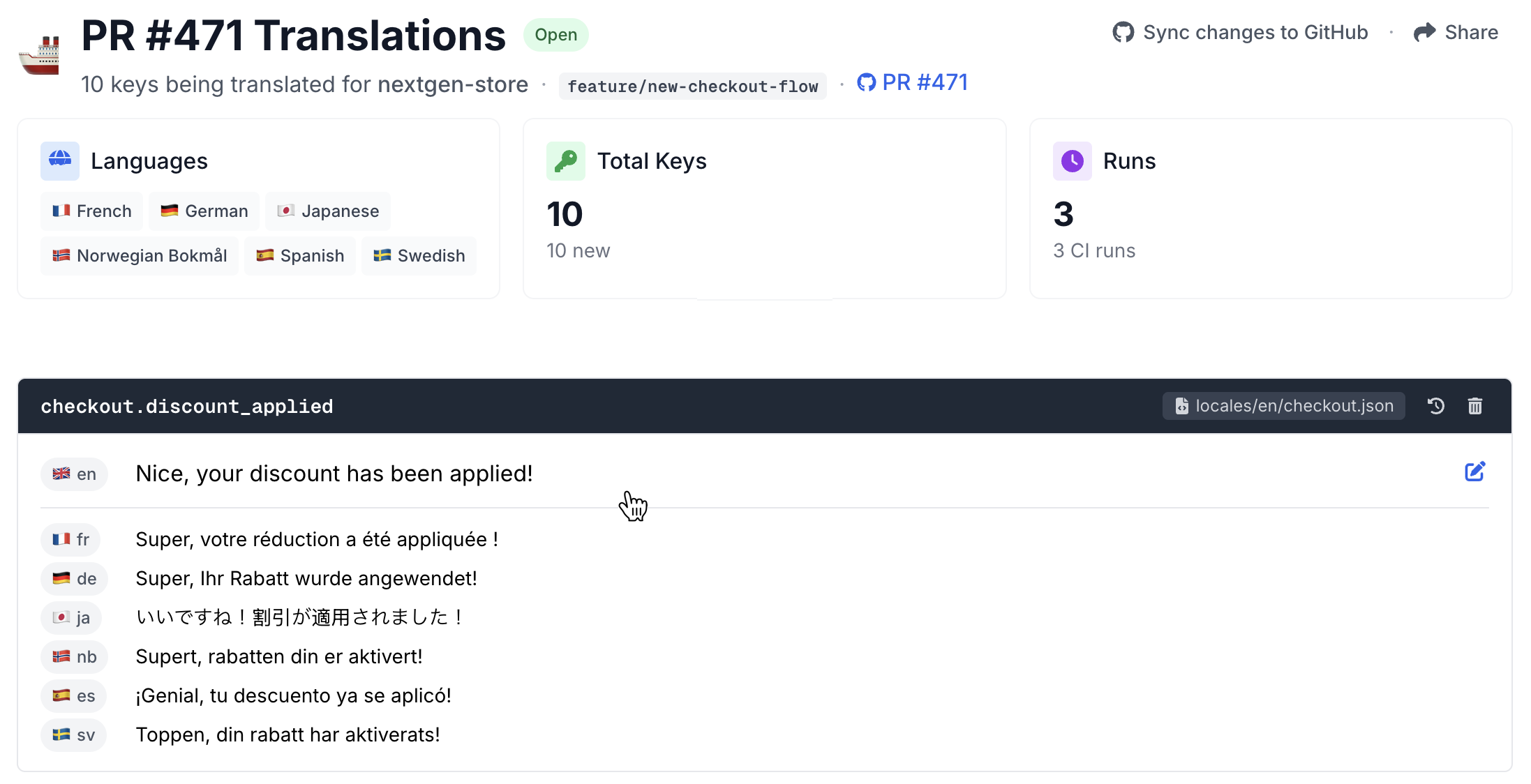
The agent won't be perfect every time either. Sometimes it picks a key name that doesn't fit, or uses a term that's not in your glossary. That's fine, you catch it in code review the same way you'd catch any other issue. The difference is that you're reviewing i18n strings as part of the normal PR flow, not as a separate process weeks later.
How this compares to building it yourself
You might be thinking: how hard can this be to build internally? Call an LLM API, write a script, done. And honestly, for a small project with two languages, that works fine. But here's what the DIY version can look like once you're past the initial prototype:
- A script that calls an LLM API for translations
- A validation script for missing keys and broken placeholders
- A glossary file you manually keep in sync
- GitHub Actions config that wires it all together
The initial build can be quick. The ongoing cost is what gets you. Someone on the team becomes the translation scripts person,
fixing edge cases, updating the glossary file, debugging why the German translations broke after a refactor. That's time spent on infrastructure instead of the product.
Localhero.ai has a free plan for side projects and a free tier for open source. If you prefer full DIY, we wrote about that approach separately.
Getting started
# 1. Connect your project
npx @localheroai/cli init

# 2. Install the agent skill
npx skills add localheroai/agent-skill

# 3. The init command offers to set up the GitHub Action automatically
#    Say yes, add your API key as a repo secret, and you're set.
Next time you ask your agent to build something with user-facing text, it'll handle the i18n strings with the right terminology and patterns. And when you open the PR, translations will be waiting.
So, translations as just another part of CI/CD?
The shift here isn't really about the tools. It's about removing the seam between building a feature and making it available in every language. When translations are just another thing that happens in the PR, you stop thinking about them as a separate step. With the tools we have today, shipping in 10 languages should be close to as easy as shipping in one. With the right setup it just works.
The thing I like most about this setup is that translations compound over time. Your glossary gets richer, your translation memory grows, and every new feature benefits from everything you've already translated. The agent and CI just make sure that loop keeps running without anyone having to remember to do it.
If you want to try it, the agent skill and CLI are open source. The free plan gives you enough to see how it feels on a real project.
Frequently asked questions
What file formats are supported?
What about existing translations?
How good are the AI translations?
Which coding agents does this work with?
Are translations locked into Localhero.ai?
Further reading
- How to Automate i18n Translations with GitHub Actions - three approaches to CI-driven translations with working config examples
- Using the OpenAI API for App Translation - what works and what breaks when translating with the API directly
- How to Evaluate AI Translation Quality - a practical framework for knowing if your AI translations are production-ready
- Can an AI coding agent just do this instead? - where agents hold up and where they drift